Hi! I'm currently reworking my site, so although this content is still online things may change or look odd. Please get in touch to find out how I can help you!
Colour Picker Bug Workaround for Adobe Fireworks CS4 in OS X Lion
Last week I finally upgraded my iMac from Snow Leopard to Lion. I'd heard some stories of incompatibility with certain software but the only thing I could see that would really affect me is the famous Fireworks Colour Picker bug.
Basically, if you're using Fireworks CS4 in Lion, the default colour picker is just plain broken. You can choose colours from the defaults provided but if you wanted to select a colour from the document itself you're S.O.L.. It doesn't seem like Adobe is in much of a rush to fix it either - after all, they'd far rather you shell out for an upgrade than actually bother to do something tedious like support users who paid a pretty penny for the then-but-no-longer latest version of their product. Nice, huh? </rant>
The workaround
Fortunately, there is a way to carry on using CS4 without having to upgrade or install any extra software. Yes, it takes a few extra clicks, but once you get into the habit it only takes a second or two.
- Click the coloured tile as usual to bring up the default colour picker panel:

- Click the little coloured wheel at the top right to bring up the Apple colour picker:

- Click the little magnifying glass at the top left:

- Click anywhere on the screen to sample the colour:
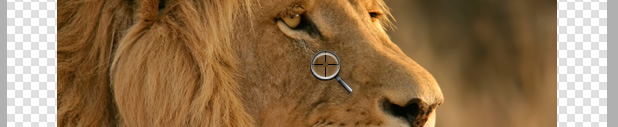
- See that the coloured tile to the right of the magnifying glass has changed to the selected colour and click "OK"
That's it! You just saved yourself £146.37, my friend! Feels good, doesn't it?
This workaround also has the added benefit of making it easier to precisely select the colour you want, so it's a double-win.
Or…
As pointed out in the comments by Chris and Scott (thanks guys!), there is another method you can use which is the eyedropper in the "Colors" section of the main Tools panel.
All you need to do is click the pencil icon if you want to change the line, or the bucket if you want to change the fill: 
Then click the eyedropper just above: 
Then click your colour.
It won't work for everything like the technique above, for example the canvas colour or the colours used in a filter, but for just changing basic fill or line colours you might find it a bit easier.
Please let me know if you found this tip useful, and definitely let me know if it helped you save some money - I'll send my guys round to collect soon ;)
Main image: Colours 4 by Billy Alexander
Posted on Monday, 16th January 2012.
Feedback
Sorry, feedback is now closed on this post, but please feel free to get in touch if you would like to talk about it!
-
Jessica

THANK YOU! This works great! I was having this same issue using Fireworks CS3 after upgrading to Lion. This bug was driving me crazy because I use the color picker all the time. Thanks for sharing this workaround!
-
Kris

Hey Jessica!
Thanks for commenting, great to hear that it helped you out :)
-
Chris Armstrong

Hey didn’t know about this workaround, but I did discover that the standard eyedropper still works as expected.
Is it odd that I’m kinda liking the ‘clicking anywhere gets you black’ bug as a shortcut to making something black?
-
Kris
Hey Chris, what do you mean by “standard eyedropper”?
I did just discover that the magnifying glass is present on all panes of the Apple colour picker, not just the Image Palettes one. Updated the article to suit.
Is it odd that I’m kinda liking the ‘clicking anywhere gets you black’ bug as a shortcut to making something black?
Heh, it’s a tiny bit easier than clicking the little black bit I guess. I would say yes though ;)
-
Scott Martin

I just came across this post and I can’t believe this never occurred to me. Thanks for sharing. Also, I believe that Chris Armstrong was referring to the fact that the eyedropper in the color section of the tools panel still works fine as well.
-
Kris
Thanks Scott - I see what you mean about the eyedropper now! Will update the post with a note about that method too.
-

Hey thanks very much for this! I wondered if it was just me but there’s some comfort knowing it isn’t, as annoying as it is.
Though I have found that for the three years I’ve been using CS4, Fireworks is particularly buggy, such as the text boxes becoming misaligned to the text itself, etc.
Thanks again!
-
Kris
You’re welcome Ritchie :)
I can’t say I’ve ever noticed that particular bug before but it seems fairly common. I’ll have to keep an eye out!
-

http://twitter.com/pixelfuture/statuses/171278024703094784
Can someone confirm (or not confirm) these news?...
Color Picker bug on OSX Mountain Lion is… gone? That’d be some news!
-
Kris
Nicely spotted Michel!
That sounds hopeful - I won’t bother updating until it’s properly released, having only upgraded to Lion recently, so I’ll have to take Rodrigo’s word for it, maybe some braver souls than me will be able to confirm :)
That said, if someone told me it fixed the WiFi bug, I’d upgrade right now ;)
-
Trevor

Of course! This has been driving me nuts!
I’d been messing about with using the ‘Colors’ eyedropper and copying the hex value and pasting it into the fill or stroke eyedropper but that was a pain and like you say not always possible.
This color picker may be a few clicks deep but it works in any circumstances.
Thanks for the tip.
-
Kris
Glad you found it useful Trevor :)
-

Thanks for posting this great tip. I too, upgraded to Lion and the same thing happened - using the color picker would always result in black. You saved me from pulling my hair out - not a pretty sight - and shelling over some serious cash for the upgrade. ;-) You’re the best!
-
Corey

You rock - this was exactly what I was looking for. WTF Adobe, if your product breaks you need to fix it!
-
Kris
Vikki, Corey - glad it was helpful for you!
But yeah - bit shameful of Adobe that they still haven’t bothered to fix it…